Best Enclosed 3D Printers Under $500 in 2026: Top Budget Picks
Research-based buying advice, not a hands-on test. Specifications, prices and availability can change. How we research and compare printers.
Enclosed 3D printers used to be a premium feature reserved for machines costing $800 or more. Not anymore. In 2026, you can get a fully enclosed printer with excellent speed and print quality for under $500—opening up a world of possibilities for printing temperature-sensitive materials like ABS, ASA, and even nylon blends.
If you've been eyeing an enclosed printer but didn't want to break the bank, this guide is for you. We'll break down why enclosures matter, compare the best budget options available right now, and help you decide which one fits your needs.
Why Choose an Enclosed 3D Printer?
An enclosure isn't just about aesthetics. Here's what you actually gain:
Temperature Stability
Materials like ABS and ASA warp easily when exposed to drafts or temperature fluctuations. An enclosed build chamber keeps the ambient temperature consistent, dramatically reducing warping and layer separation.
Better Print Quality with Engineering Filaments
Want to print functional parts that can handle heat and stress? Engineering filaments like ABS, ASA, PC, and certain nylons require stable temperatures. An enclosure makes these materials accessible to hobbyists and small businesses alike.
Reduced Fumes and Odors
Printing ABS releases styrene fumes that aren't pleasant to breathe. Enclosed printers contain these emissions better, especially models with built-in air filtration. If you're printing in a bedroom, office, or shared space, this matters.
Quieter Operation
The enclosure panels dampen noise from fans, motors, and the print head. If you've ever tried to sleep while a printer runs overnight, you'll appreciate this.
Best Enclosed 3D Printers Under $500
Let's look at the top enclosed options that won't empty your wallet. All prices and specs come from printers currently in our database.
Creality K1 — $329
Speed: 600mm/s | Enclosure: Full
The Creality K1 is one of the most affordable fully enclosed printers on the market, and it doesn't sacrifice performance. With speeds up to 600mm/s, it competes directly with machines costing twice as much.
Pros:
- Aggressive price point for a CoreXY enclosed machine
- Fast print speeds rival premium brands
- Good community support and third-party upgrades available
Cons:
- Software experience isn't as polished as Bambu Lab's ecosystem
- Some users report the need for initial tuning out of the box
Best for: Budget-conscious makers who want speed and an enclosure without paying premium prices.
Qidi Tech Q1 Pro — $399
Speed: 600mm/s | Enclosure: Full
Qidi Tech has built a reputation for delivering solid enclosed printers at competitive prices. The Q1 Pro continues this tradition with 600mm/s speeds and a fully enclosed chamber that handles ABS and ASA reliably.
Pros:
- Excellent build quality for the price
- Good temperature stability for engineering materials
- Responsive customer support
Cons:
- Less brand recognition than Creality or Bambu Lab
- Smaller online community for troubleshooting
Best for: Users who prioritize build quality and don't mind a smaller community.
Qidi Tech Q2C — $399
Speed: 600mm/s | Enclosure: Full
The Q2C is Qidi's compact enclosed option, matching the Q1 Pro's speed at the same price point. It's designed for users who need an enclosure but have limited desk space.
Pros:
- Compact footprint fits smaller workspaces
- Same 600mm/s speed as larger models
- Fully enclosed for temperature-sensitive materials
Cons:
- Smaller build volume than the Q1 Pro
- May feel cramped for larger projects
Best for: Apartment dwellers or anyone with limited workspace who still wants enclosed printing capabilities.
Anycubic Kobra S1 — $349
Speed: 600mm/s | Enclosure: Full
Anycubic's Kobra S1 sits right in the sweet spot between the Creality K1 and the Qidi options. At $349, it offers 600mm/s speeds with a full enclosure and Anycubic's improved 2026 firmware.
Pros:
- Mid-range price with premium features
- 600mm/s print speeds
- Good brand reputation and spare parts availability
Cons:
- Newer model with less long-term user feedback
- App experience is functional but not exceptional
Best for: Users who want a balance of price, speed, and enclosed printing without committing to the cheapest or most expensive option.
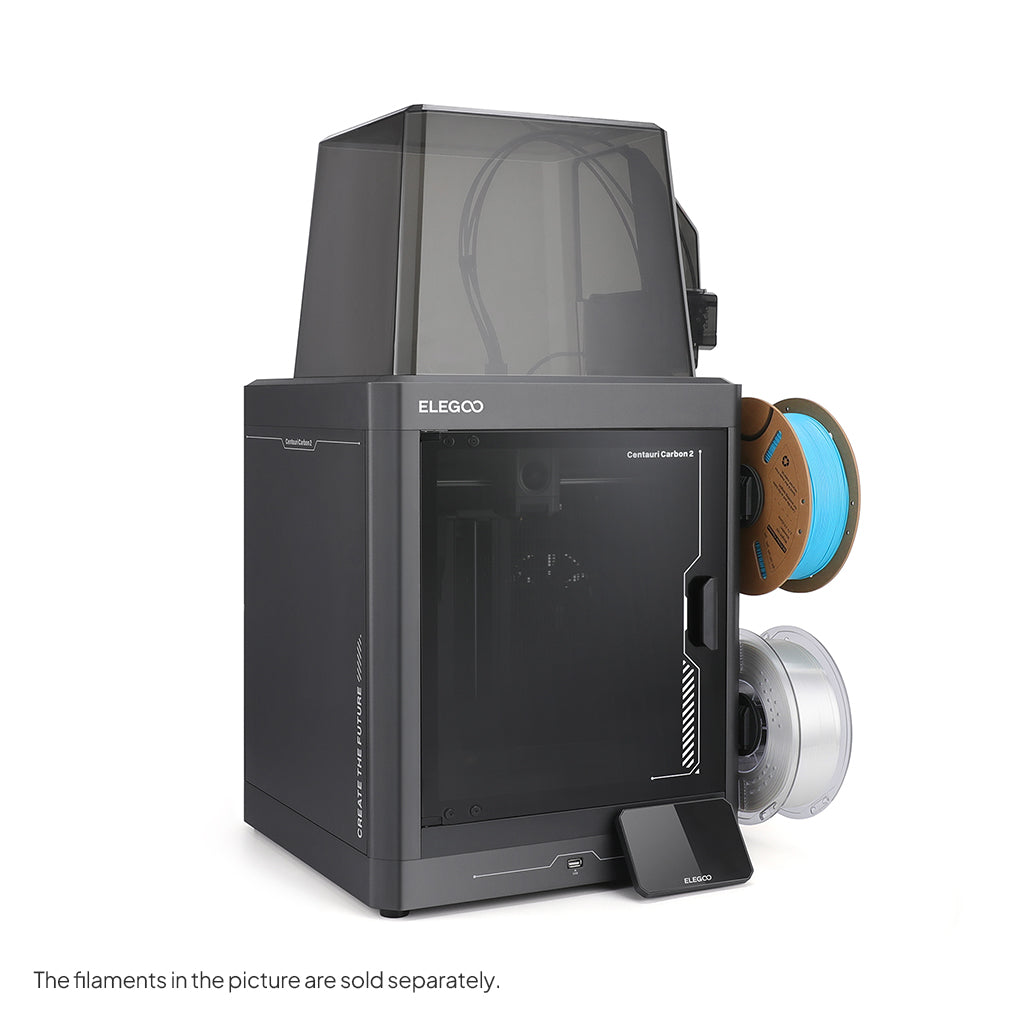
Elegoo Centauri Carbon 2 — $399
Speed: 500mm/s | Enclosure: Full
Elegoo's Centauri Carbon 2 brings the company's resin printer expertise to FDM. While slightly slower at 500mm/s, it compensates with a robust enclosure and Elegoo's user-friendly software.
Pros:
- Solid build quality from a trusted brand
- Good enclosed temperature management
- Easy-to-use slicing software
Cons:
- 500mm/s is slightly slower than competitors at this price
- Elegoo is better known for resin, so FDM-specific support is growing
Best for: Elegoo fans transitioning from resin to FDM, or users who prioritize software experience.
Quick Comparison Table
| Printer | Price | Speed | Key Strength |
|---|---|---|---|
| Creality K1 | $329 | 600mm/s | Best value |
| Anycubic Kobra S1 | $349 | 600mm/s | Balanced option |
| Qidi Tech Q1 Pro | $399 | 600mm/s | Build quality |
| Qidi Tech Q2C | $399 | 600mm/s | Compact size |
| Elegoo Centauri Carbon 2 | $399 | 500mm/s | Software experience |
What About the Creality K1 Max?
At $499, the Creality K1 Max fits right at the top of a $500 budget. It offers a larger 300×300×300mm build volume with the same 600mm/s speeds and a full enclosure — excellent value if you need more space.
Do You Really Need an Enclosure?
Not everyone does. If you plan to print primarily with PLA or PETG in a climate-controlled room, an open-frame printer like the Bambu Lab A1 ($399) or Elegoo Neptune 4 Pro ($260) might serve you just as well—and potentially at a lower price.
However, if you want to:
- Print ABS, ASA, or nylon without warping headaches
- Reduce noise and fumes in shared spaces
- Future-proof your setup for engineering materials
Then an enclosed printer is worth the investment.
How to Choose the Right One
Still unsure which printer fits your situation? Consider these factors:
- Budget flexibility: If $329 is your hard limit, the Creality K1 is the clear choice.
- Space constraints: The Qidi Q2C's compact design works better in tight spaces.
- Brand preference: Stick with what you know if you've had good experiences with a particular manufacturer.
- Print volume needs: Larger projects may justify stretching to the K1 Max.
Not sure what matters most for your specific needs? Try our quiz to get a personalized recommendation based on your budget, experience level, and intended use.
FAQ
Can I print PLA in an enclosed printer?
Yes, but you may need to leave the door open or reduce chamber temperature. PLA can become too soft in a heated enclosure, causing jams or poor surface quality.
Is the Creality K1 really comparable to more expensive enclosed printers?
For most hobbyist applications, yes. You may notice differences in software polish and out-of-box calibration, but print quality and speed are competitive.
What's the best enclosed printer under $500 for ABS?
Any of the options listed here will handle ABS well. The Creality K1 offers the best value, while the Qidi Q1 Pro has slightly better build quality for the price.
Do enclosed printers need ventilation?
For PLA, no. For ABS, ASA, or other fume-producing materials, ventilation or filtration is recommended—especially in small or poorly ventilated rooms.
Can I add an enclosure to an open-frame printer later?
Yes, but DIY enclosures require additional effort and may not match the thermal performance of purpose-built enclosed machines. If you know you'll want an enclosure, buying one built-in is usually more cost-effective.
Not sure which printer to buy?
Take our 2-minute quiz and get a personalised recommendation.
Find my printer →