Best Enclosed 3D Printers in 2026: Top Picks for Every Budget
Research-based buying advice, not a hands-on test. Specifications, prices and availability can change. How we research and compare printers.
If you're shopping for a 3D printer in 2026, you've probably noticed a major trend: enclosed printers are everywhere. What was once a premium feature is now available at nearly every price point, from budget-friendly options under $400 to professional-grade machines.
But do you actually need an enclosed 3D printer? And if so, which one should you buy? In this guide, we'll break down the benefits of enclosed printers, compare the best options available today, and help you find the right match for your needs and budget.
Why Choose an Enclosed 3D Printer?
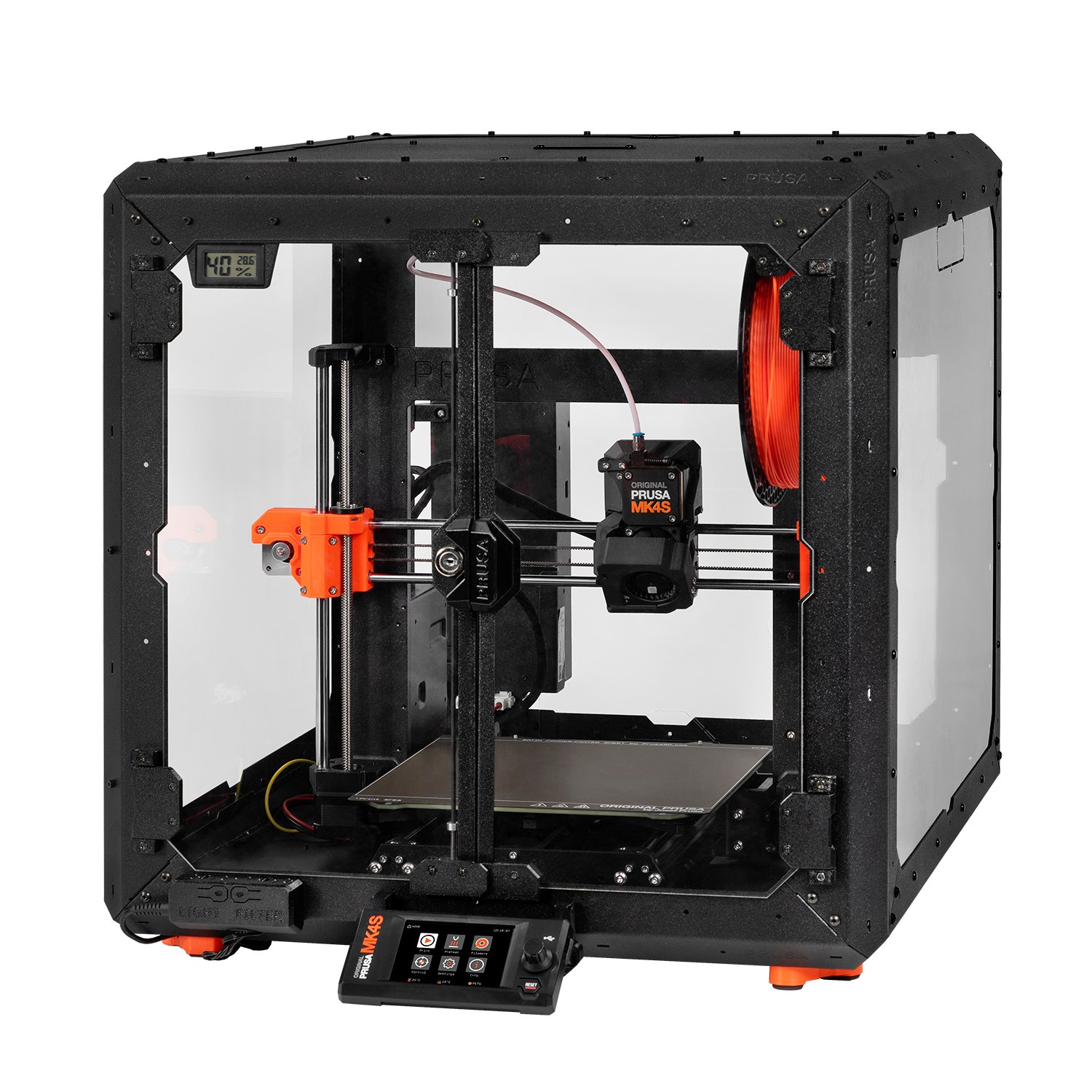
An enclosed 3D printer has walls, a top, and often a door surrounding the print area. This seemingly simple design choice makes a big difference in print quality and what materials you can use.
Key Benefits of Enclosed Printers
Temperature stability: Enclosures trap heat, keeping the printing environment consistent. This prevents warping and layer separation, especially with temperature-sensitive materials.
Better material compatibility: Want to print ABS, ASA, nylon, or carbon fiber composites? These materials practically require an enclosure to print reliably without cracking or warping.
Reduced noise and fumes: The walls dampen printer noise and help contain fumes—a real advantage if your printer sits in a living space or home office.
Cleaner prints: Enclosures shield your print from drafts, dust, and curious pets. Fewer environmental variables mean more consistent results.
If you're sticking strictly to PLA and don't mind some printer noise, an open-frame printer works fine. But if you want versatility and room to grow into advanced materials, an enclosure is worth the investment.
Best Enclosed 3D Printers by Budget
Let's look at the top enclosed printers available in 2026, organized by price tier.
Best Budget Enclosed Printers (Under $450)
Creality K1 – $329
The Creality K1 remains one of the most affordable enclosed printers worth buying. At 600mm/s print speeds, it's faster than most open-frame competitors at this price. The enclosure handles ABS and ASA reasonably well, though you may want to add a top cover for the most demanding materials.
Anycubic Kobra S1 – $349
Another strong budget option, the Kobra S1 offers 600mm/s speeds in a fully enclosed design. Anycubic has improved reliability significantly, making this a solid choice for beginners who want enclosure benefits without breaking the bank.
Sovol Zero – $359
Here's something different: the Sovol Zero is a compact, enclosed printer with blistering 1200mm/s speeds. It's small but mighty—perfect for quick prototypes and smaller prints. The speed alone makes it stand out in this price range.
Qidi Tech Q1 Pro – $399
Qidi has earned a reputation for punching above its weight class, and the Q1 Pro delivers. At $399, you get 600mm/s speeds, a proper enclosure, and excellent customer support. It's a favorite among hobbyists who want reliability without the Bambu Lab price tag.
Qidi Tech Q2C – $399
If you prefer Qidi's ecosystem, the Q2C offers similar specs to the Q1 Pro at the same price point. Both are excellent choices—your decision may come down to build volume preferences or aesthetic taste.
Best Mid-Range Enclosed Printers ($450–$800)
Qidi Tech Q2 – $499
Stepping up to $499 gets you the Qidi Tech Q2, which offers refined features over the Q2C. If you've outgrown budget machines but aren't ready to spend $700+, this hits a sweet spot.
Bambu Lab P1S – $549
The Bambu Lab P1S has been a fan favorite since its release, and it still holds up in 2026. You get the same 500mm/s CoreXY motion system as pricier Bambu models, excellent print quality, and seamless software integration. It lacks some features of the newer P2S, but at $549, it's tremendous value.
Flashforge Adventurer 5M Pro – $599
Flashforge's enclosed option offers 600mm/s speeds and a well-designed enclosure. It's particularly beginner-friendly, with good out-of-the-box calibration.
Qidi Tech Plus4 – $699
Need more build volume? The Plus4 gives you a larger print area while maintaining Qidi's reliability and 600mm/s speeds. It's ideal for printing larger functional parts or batch-producing smaller items.
Bambu Lab P2S – $799
The P2S is Bambu Lab's 2026 flagship for the mid-range market. At 600mm/s with refined features and excellent print quality, it's what many reviewers call the best overall 3D printer of the year. If your budget stretches to $799, this is the printer to beat.
Best Premium Enclosed Printers ($800+)
Creality K2 Pro – $849
Creality's answer to Bambu's dominance, the K2 Pro delivers 600mm/s speeds with professional-grade features. It's a solid choice if you prefer Creality's ecosystem or want to support the competition.
Snapmaker U1 – $899
The Snapmaker U1 offers unique modularity in an enclosed package. At 500mm/s, it's not the fastest, but the build quality and versatility appeal to makers who value flexibility.
Qidi Tech Max4 – $1049
When you need serious build volume without sacrificing speed, the Max4 delivers. At 800mm/s, it's among the fastest large-format enclosed printers available.
Bambu Lab H2S – $1249
This is where things get exciting. The H2S screams at 1000mm/s—twice the speed of most competitors. If time is money in your workflow, the H2S pays for itself quickly.
Bambu Lab H2D – $1899
Bambu's dual-extrusion flagship combines 600mm/s speeds with the new Vortek nozzle-swapping system. This addresses the infamous "purge waste" problem that plagued earlier multi-material systems, potentially saving significant filament over time.
Bambu Lab H2C – $2399
At the top of the consumer market, the H2C offers 1000mm/s speeds with advanced multi-material capabilities. It's overkill for most hobbyists, but professionals and serious enthusiasts will appreciate the capabilities.
How to Choose the Right Enclosed Printer
With so many options, how do you decide? Consider these factors:
Budget: Be honest about what you can spend. A $399 Qidi Q1 Pro will serve most hobbyists beautifully—you don't need to spend $800+ unless you have specific requirements.
Materials: If you're printing PLA only, enclosure benefits are nice but not essential. For ABS, ASA, or nylon, prioritize printers with active chamber heating or well-sealed enclosures.
Print speed: Speeds matter more for high-volume printing. Casual hobbyists rarely notice the difference between 500mm/s and 600mm/s in real-world use.
Ecosystem: Bambu Lab's software and support are excellent but come at a price premium. Qidi and Creality offer great value if you're comfortable with slightly more hands-on ownership.
Not sure which printer fits your specific needs? Take our quiz for a personalized recommendation based on your budget, experience level, and printing goals.
FAQ
Is an enclosed 3D printer worth it for beginners?
It depends on your goals. If you want to experiment with materials beyond PLA eventually, an enclosed printer gives you room to grow. Budget enclosed options like the Creality K1 ($329) or Qidi Q1 Pro ($399) are beginner-friendly while offering enclosure benefits.
Can I print PLA in an enclosed printer?
Yes, but you may need to leave the door open or ensure adequate ventilation. PLA prints at lower temperatures and can actually over-cool in a sealed, heated enclosure. Most enclosed printers handle this automatically or have removable panels.
What's the best enclosed printer under $500?
The Qidi Tech Q1 Pro ($399) and Qidi Tech Q2 ($499) are top choices. If you want the Bambu Lab ecosystem, the P1S at $549 is just slightly over budget and worth considering.
Do enclosed printers require more maintenance?
Not significantly. You may need to clean the enclosure interior occasionally, and some models have air filtration systems with replaceable filters. Overall, maintenance is comparable to open-frame printers.
What's the fastest enclosed 3D printer available?
The Sovol Zero ($359) hits 1200mm/s in a compact package. For larger builds at extreme speeds, the Bambu Lab H2S ($1249) and H2C ($2399) reach 1000mm/s.
Not sure which printer to buy?
Take our 2-minute quiz and get a personalised recommendation.
Find my printer →